FORGE
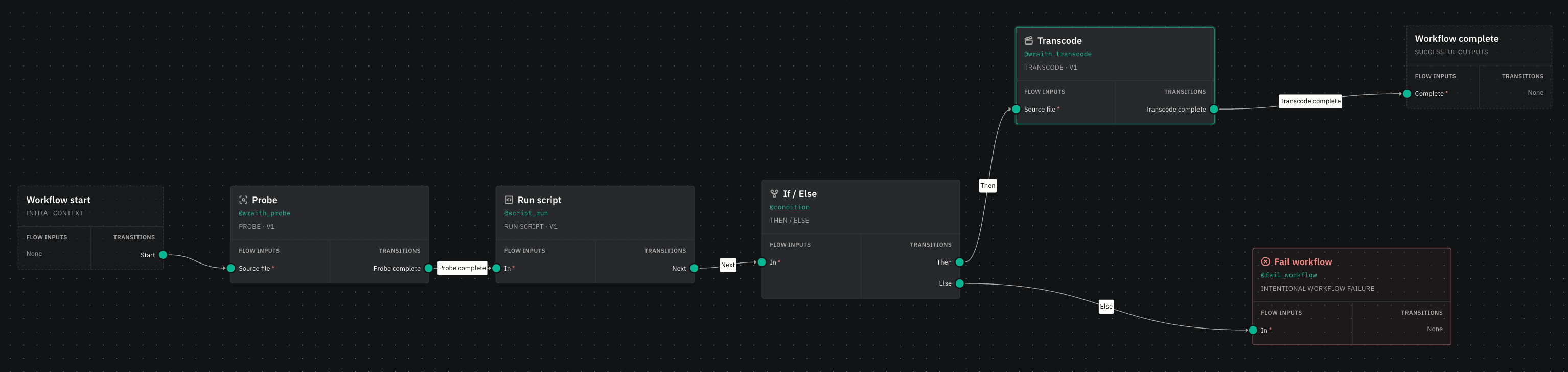
FORGE pairs Wraith Engine's native media processing with customisable workflow automation. Build repeatable pipelines for transcoding, packaging, QC, captions, metadata and delivery, whether that is a single system or a high-availability, multi-site deployment.
Why FORGE
Native media processing
FORGE is powered by Wraith Engine, built from the ground up for broadcast and post-production video, audio and data. Wraith supports resolutions from SD to 8K with a full 16-bit image pipeline and colour-accurate processing end to end including HDR, PQ and HLG, alongside high bit depth multi-channel audio processing. More about Wraith Engine.
Modern workflow automation
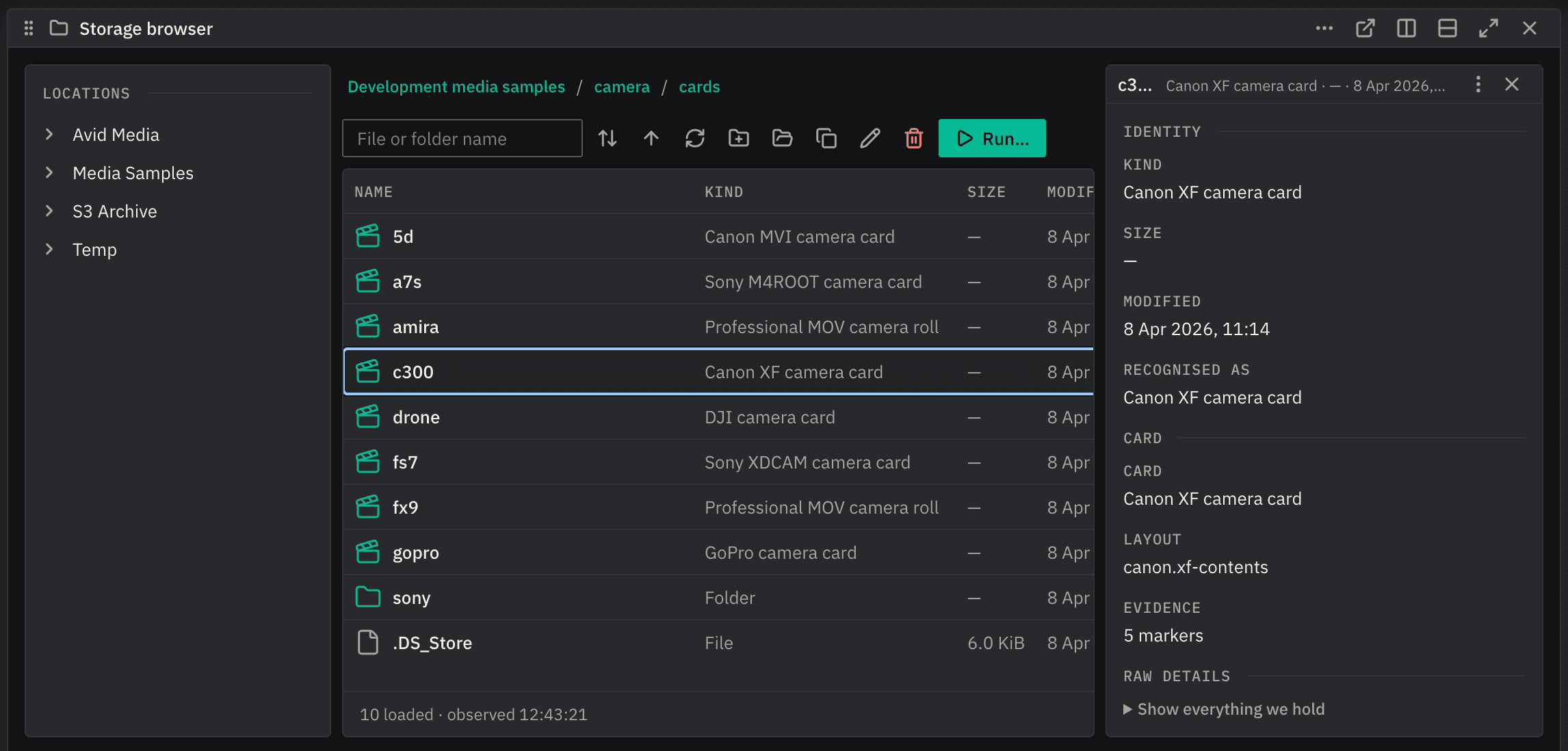
Define repeatable workflows in the visual editor, bringing processing, decisions, integrations and delivery into one pipeline. View job progress live, node by node, providing full visibility of your media processing operations.
Scale and resilience
Add processing capacity horizontally as demand grows. FORGE supports high-availability deployments, multiple worker agents, and workflows spread across multiple sites. Transcoding throughput grows with the number of processing nodes.
Works with your storage
Read and process media directly from local storage, shared storage and object stores such as Amazon S3. Cloud media does not need to be downloaded and staged in full before processing can begin. Browse the same storage live in the FORGE interface, with nothing to scan, sync or import first, and run a workflow on anything you select.
Extensible by design
FORGE features pre-built tasks for many common actions, but it can also be extended with your own plugins. Use FORGE's in-built scripting framework, create your own tasks, or integrate FORGE with other systems through its API.
Deploy it where it fits
Run FORGE on-premises, in the cloud or across both. Processing capacity can sit close to the media while the wider workflow remains distributed.
A workspace that fits the job
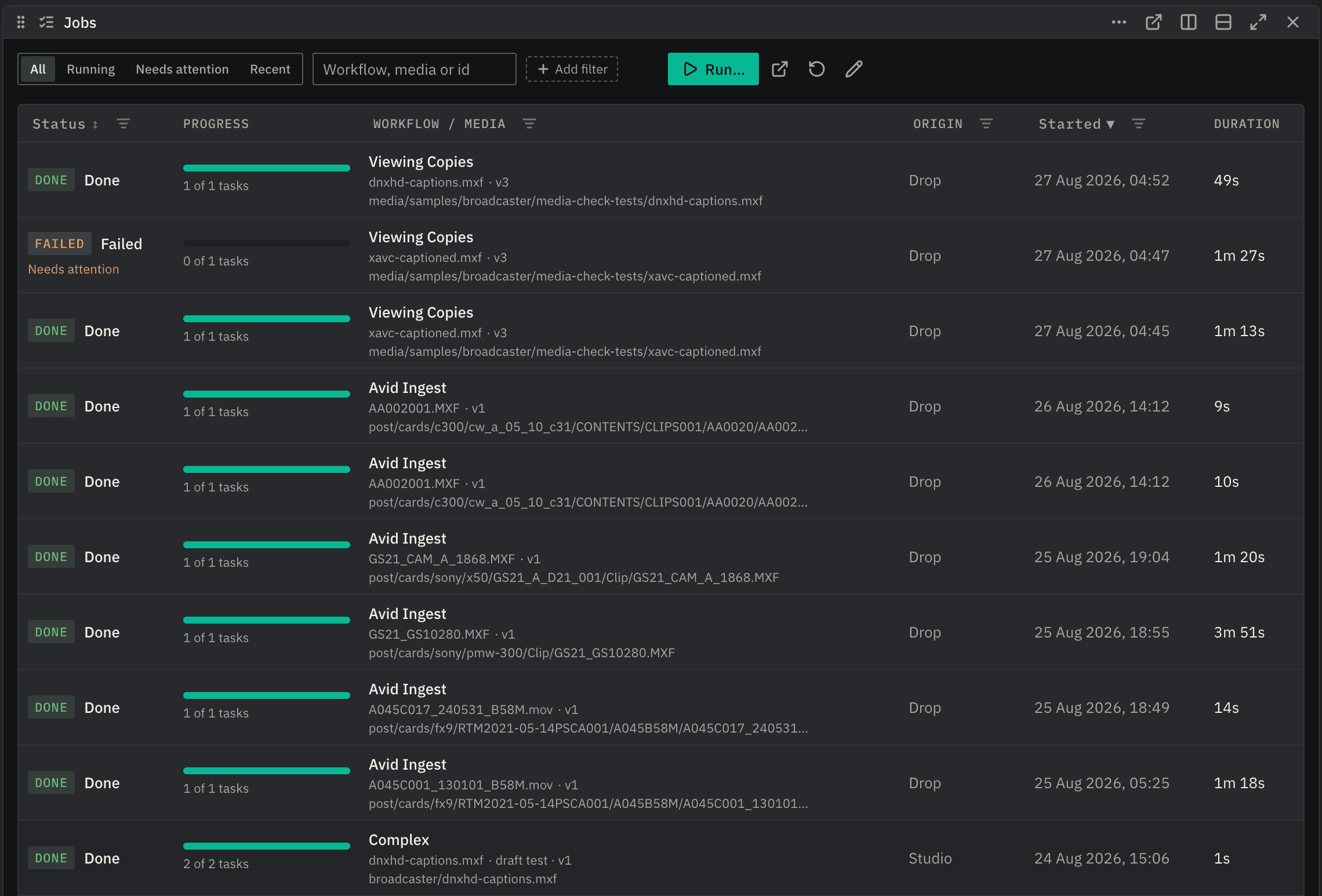
FORGE's configurable operations dashboard allows users to customise their own workspace with the apps and panels they use the most.
Configure workspaces by role: storage, quick launch and jobs for ingest; queues, failures and system health for operations; media inspection and job detail for QC.
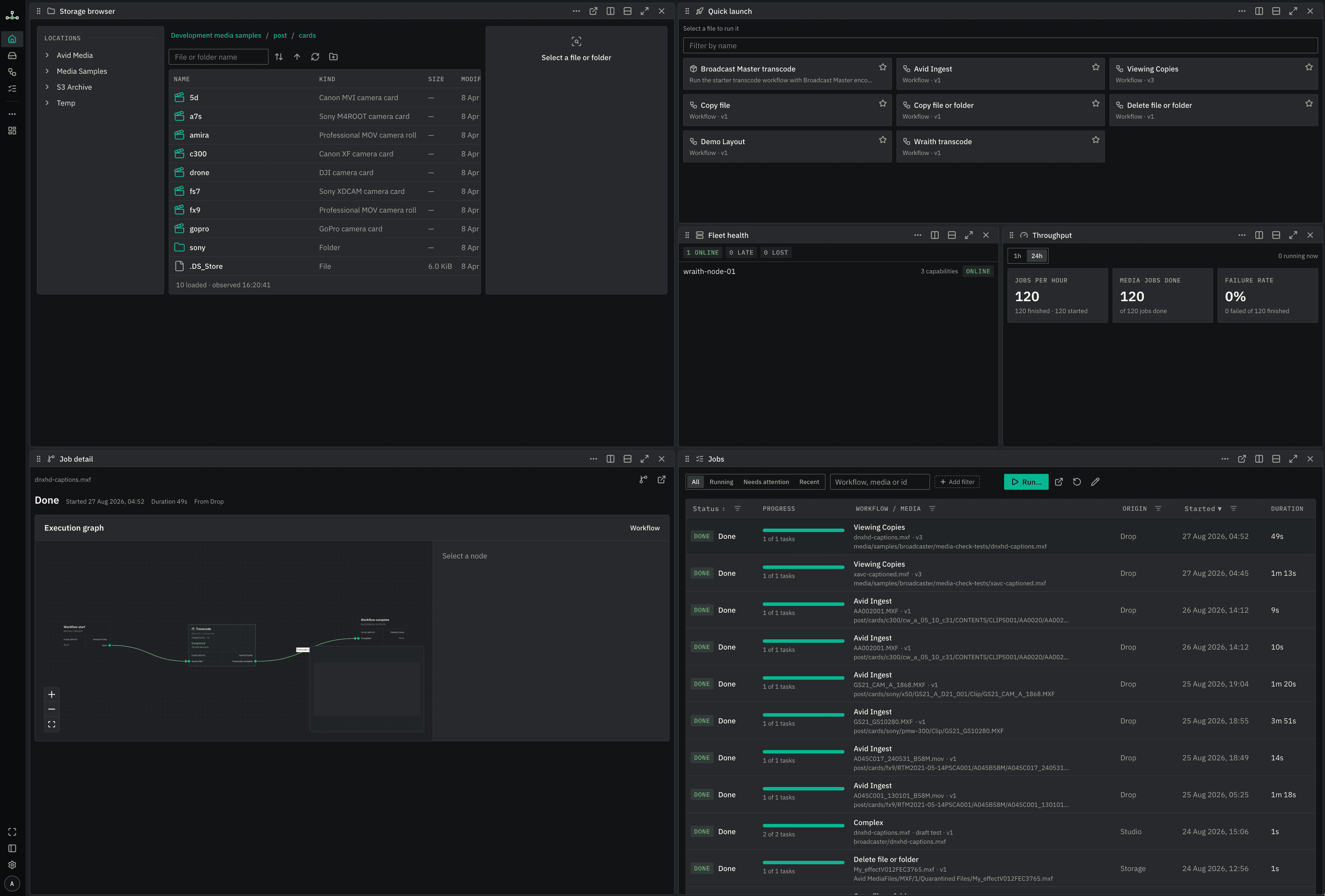
The Storage browser is a web view of the file systems and object stores your processing nodes can see, live, with nothing to scan, sync or import first. See technical metadata as you browse for media files and camera cards, with no need to pre-process anything.
Use cases
Camera card ingest
FORGE recognises a camera card as a complete acquisition: clips, essence and metadata together. The card can then be copied, verified, processed and delivered as one workflow. Sony XDCAM, Canon XF, ARRI Alexa and Amira, DJI, GoPro and many other card formats are read natively.
Avid ingest
Automate ingest into Avid environments with or without MediaCentral Production Management (formerly Interplay). FORGE creates native Avid OP-Atom media (including growing clips) and handles media indexing, AAF management, and can even create and manipulate AVB files.
Broadcast deliverables
Build repeatable delivery workflows for broadcast standards such as DPP AS-11, covering the media processing, packaging, metadata and validation the standard demands.
Transcode and normalise
Convert between professional codecs, containers, rasters, frame rates and audio layouts, with the video and audio processing required by the destination workflow.
QC and compliance
Run technical and compliance checks as part of the workflow. Record the results, stop or route failures, and send material for corrective processing or review.
Captions and subtitles
Create, extract, convert and validate timed text and broadcast captions, while keeping them associated with the media through processing, packaging and delivery.
Archive and migration
Move media collections between storage, formats and systems while preserving the metadata and relationships needed downstream. Verification, normalisation and delivery can all form part of the same job.
Packaging and delivery
Assemble finished media, metadata and associated assets, then deliver them to storage, MAMs, platforms or other downstream systems automatically.
Bring us your workflow
The best test of FORGE is a workflow you already run. Tell us about your use case and we'll model it in FORGE.
Arrange a demo or pilot